Ink, a master stencil and a handle

The stencil duplicator

Long before every Dutch office had a photocopier, one good master stencil could produce dozens or hundreds of prints. Cumbersome, messy and unforgettable.

Turn out the first sheet
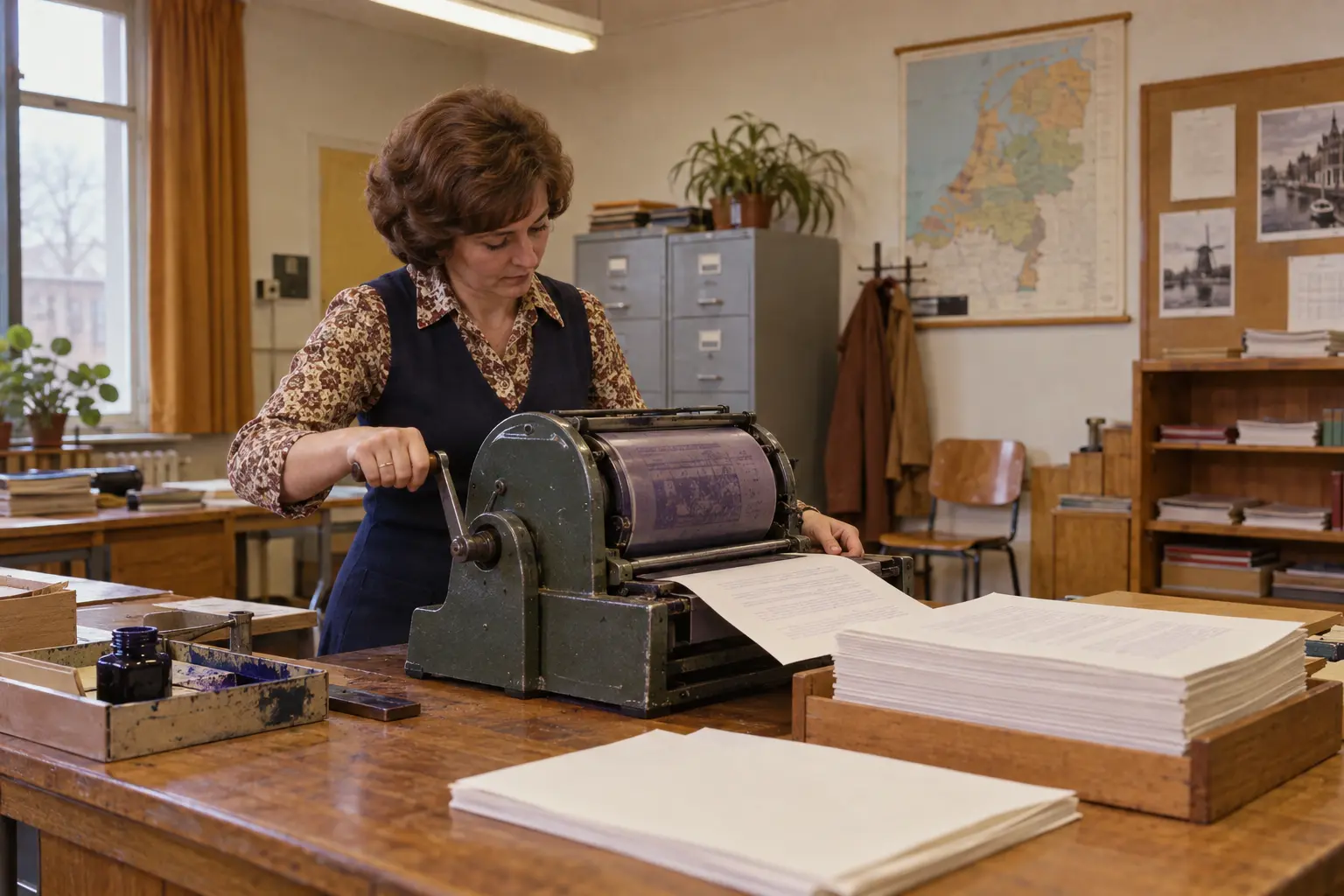
A woman operates a hand-driven stencil duplicator around 1972
Sheet after sheet came from the machine. Historical impression created for Vroeger.online.
1master stencil
100+prints
0undo actions

A mistake on the stencil could appear throughout the print run. Careful typing was essential.

01 · first, the original

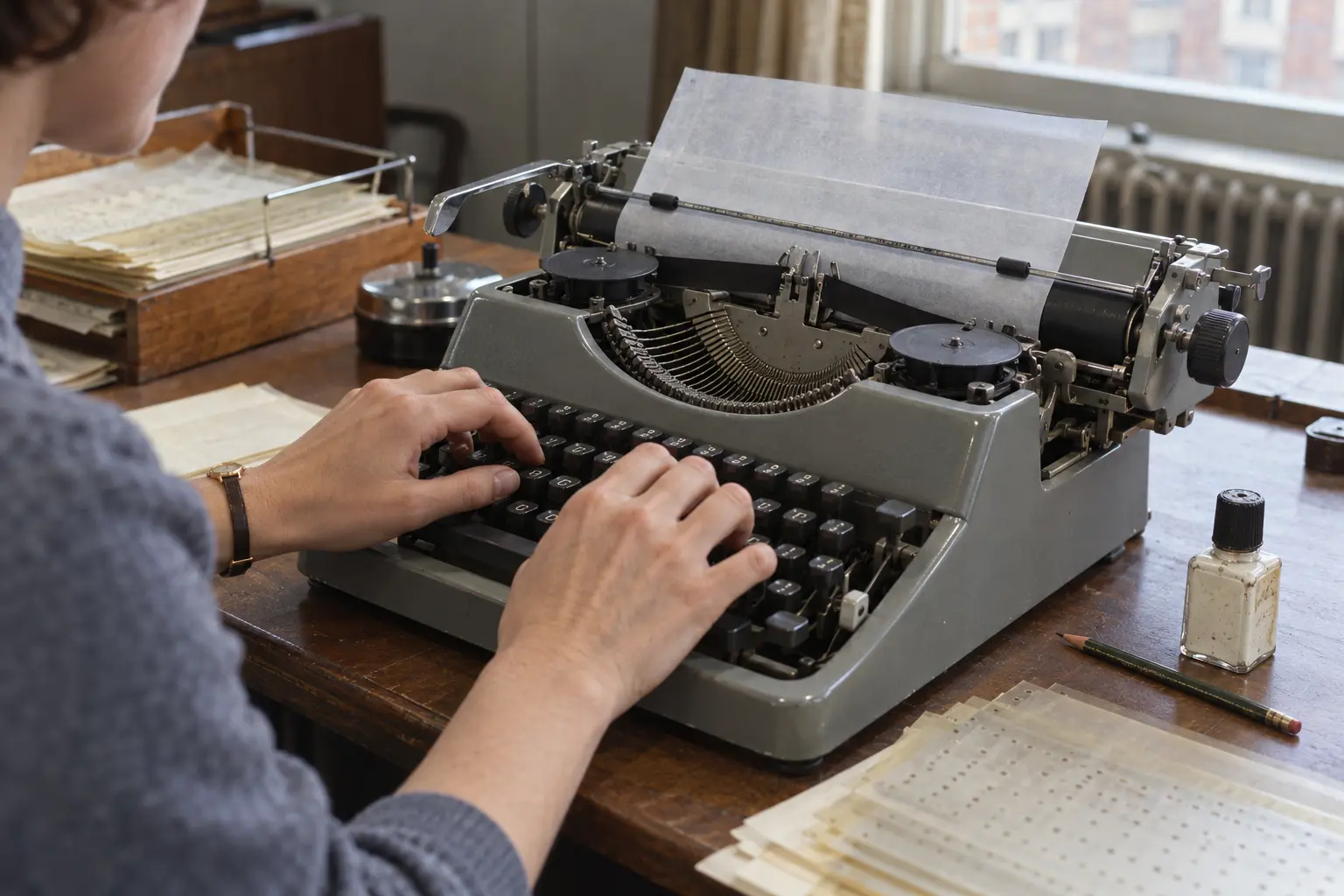
A master stencil is typed on a typewriter around 1965
Typing without an ink ribbon: the keystrokes opened the wax-like coating.

A typing error did not vanish at the press of a button. Correction fluid, drying and trying again.

A copy before copying became commonplace

Carbon paper suited a few copies. Fifty worksheets, forms or meeting notices needed another solution.

Schools, offices, associations, churches and editorial rooms therefore often had a stencil duplicator. It made small print runs affordable without a printing firm. Quality was modest, but easily sufficient for daily use.

The technology developed in the late nineteenth century. Gestetner’s name became so closely associated with it that people sometimes simply called the machine ‘the Gestetner’. Roneo and Rex Rotary became familiar too. There were small hand-operated machines in cases and larger models on stands or with electric motors.

Typing without an ink ribbon

The key component was the stencil: a thin master sheet with a wax-like coating. Text was usually typed onto it. The typewriter ribbon was disengaged. Letters should not appear in ribbon ink; the keystrokes needed to break through the coating.

That required care. Too light a stroke made an unclear letter; too heavy a stroke could damage the fragile sheet. Capitals, underlining and tables needed planning. A special stylus could draw an image into the stencil, although producing an attractive illustration was a skill of its own.

One mistake across the whole run

Correction fluid sealed the wrong letter. Only after it dried could the correct letter be typed over it.
02 · getting to work

From master sheet to stack

  1. 1
    Attach the stencil

    The completed master was carefully stretched around the drum.

  2. 2
    Distribute the ink

    The machine pressed ink through the opened letters and lines.

  3. 3
    Turn the handle

    Each revolution fed a fresh sheet past the stencil.

  4. 4
    Sort the prints

    Sheets needed drying, putting in order and sometimes stapling.

03 · your own small print shop

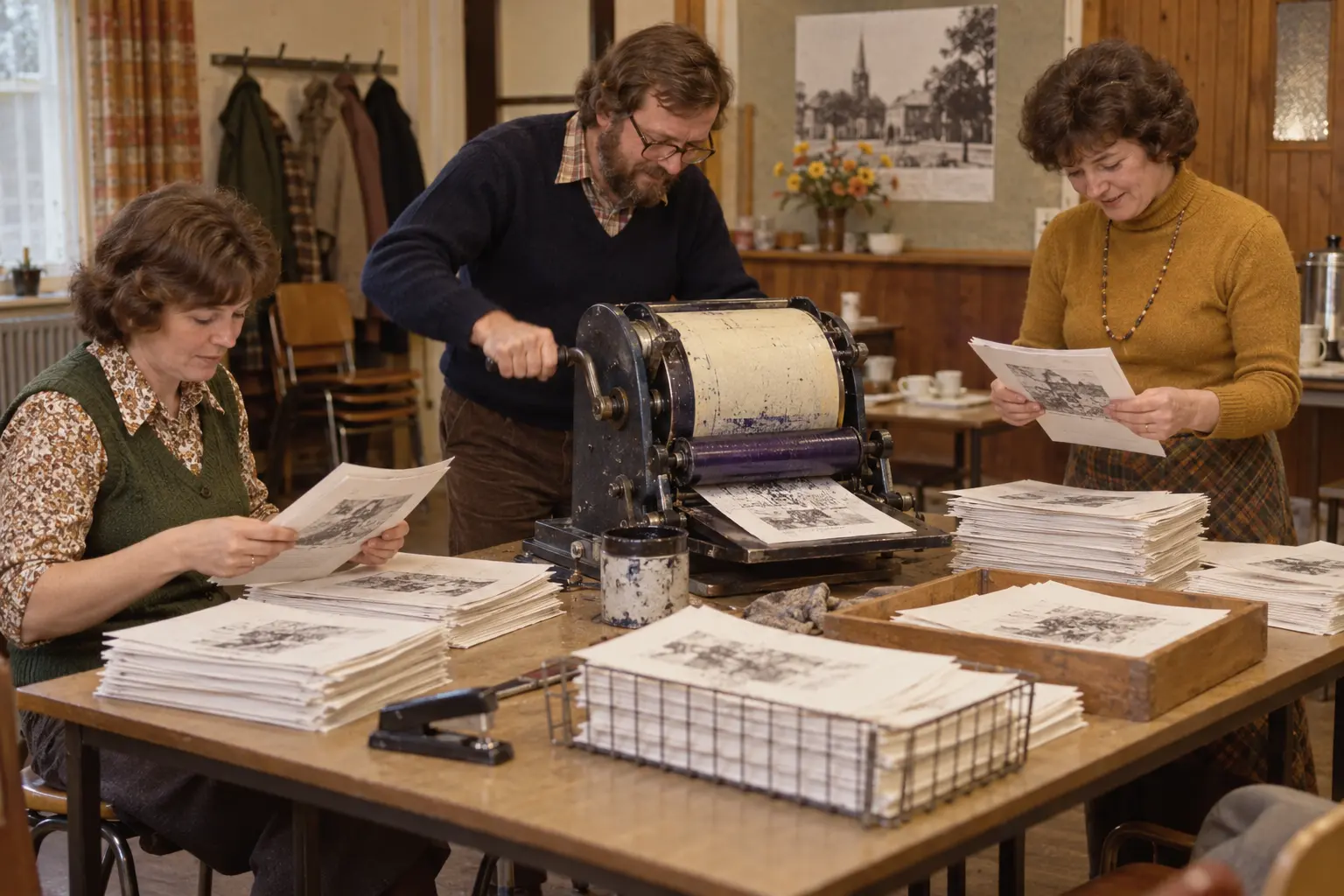
Volunteers make a club newsletter with a stencil duplicator around 1978
Associations and small editorial teams could produce their own publications. Historical impression.

With a typewriter, paper, ink and duplicator, you could reach readers without a publisher.

The moment of the handle

On a hand-operated machine, production mainly meant preparing paper and turning. The regular sound of handle and drum belonged to the work.

When all went well, the stack grew quickly. When it did not, a sheet went crooked, a blot appeared or ink suddenly reached hands, clothes and desk. Early prints were sometimes too heavy; late ones, paler. Damaged stencils could leak and letters could clog.

Those little irregularities give old duplicated sheets their familiar appearance. Each print was roughly the same, but rarely perfectly identical.

A press for school, office and club

The duplicator meant more than administration. Sports clubs produced notices and newsletters, churches distributed orders of service, campaigners printed pamphlets and new writers published their own magazines.

It was a quiet form of democratisation. Small organisations no longer needed a printer for every run. They chose their own text, quantities and distribution.

Purple letters and that distinctive smell

Many people immediately think of purple school worksheets with a sharp, slightly sweet smell. These often came from spirit duplicators rather than true stencil machines. A solvent transferred dye from a different kind of master sheet to the paper.

Both systems occupied similar buildings, and everyday language easily confused them. In Dutch, almost any cheaply copied worksheet soon became ‘a stencil’.

04 · from handle to start button

A photocopier could reproduce an existing sheet directly. It saved time, preparation and dirty fingers.

From duplicating room to copying corner

From the 1960s and 1970s, photocopiers became more practical. A copy no longer required a separate master stencil.

Word processors, laser printers and inkjet printers followed. Corrections could be made before printing, and every copy looked almost identical. Handles, correction fluid and stocks of master sheets slowly faded from view.

The principle survives in the Risograph, which also places a master around a printing cylinder. Artists, designers and small publishers value its visible ink, limited colours and small differences between prints. What was once an inexpensive necessity is now sometimes a deliberate stylistic choice.

A machine you had to get to know

I worked with a stencil duplicator myself. For me, it is therefore more than a museum piece: it recalls a time when copying was a physical action. You heard, smelled and felt something being made. After the last sheet, what remained was a stack that had literally passed through your hands.

“The text may have faded, but the work of making it is still visible.”

Explore further

Sources & illustrations

More things from the past

A cassette let you record exactly what you wanted to keep.

Read about the cassette tape